Compose keys are a Linux feature that allows you to type special characters. They’re very useful for typing accents, umlauts, diacritics, and other special characters. All operating systems have a way of typing such characters, but they are, to put it mildly, a convoluted mess.
Compose keys work in a very intuitive way, as the name implies, by composing two or more keys together. As an example, to type the copyright symbol, I would type:
Compose(c) which gives ⓒ
The (, c, ) sequence is a very natural combination for the copyright symbol.
Umlauts and diacritics are similarly very simple.
Composeu" gives ü
ComposeO/ gives Ø
ComposeTM gives ™
Compose56 gives ⅚
The all important em dash:
Compose--- gives —
Building target characters starts to become very discoverable. There’s no need to remember specific numeric codes, or to have a numpad on a keyboard which Windows/Macos require. In fairness to Windows 11 though, the Win+. shortcut is quite useful, though it could do with a search across all character types.
But where is the Compose key>?
There isn’t a dedicated key on a physical keyboard, instead you have to assign a key as the compose key. Often the default is the Right Alt or Shift + Alt Gr.
You would normally assign this through settings, to a key that you don’t usually use, or something out of the way. I strongly recommend the Caps Lock key, the most useless key on the keyboard as shown here.
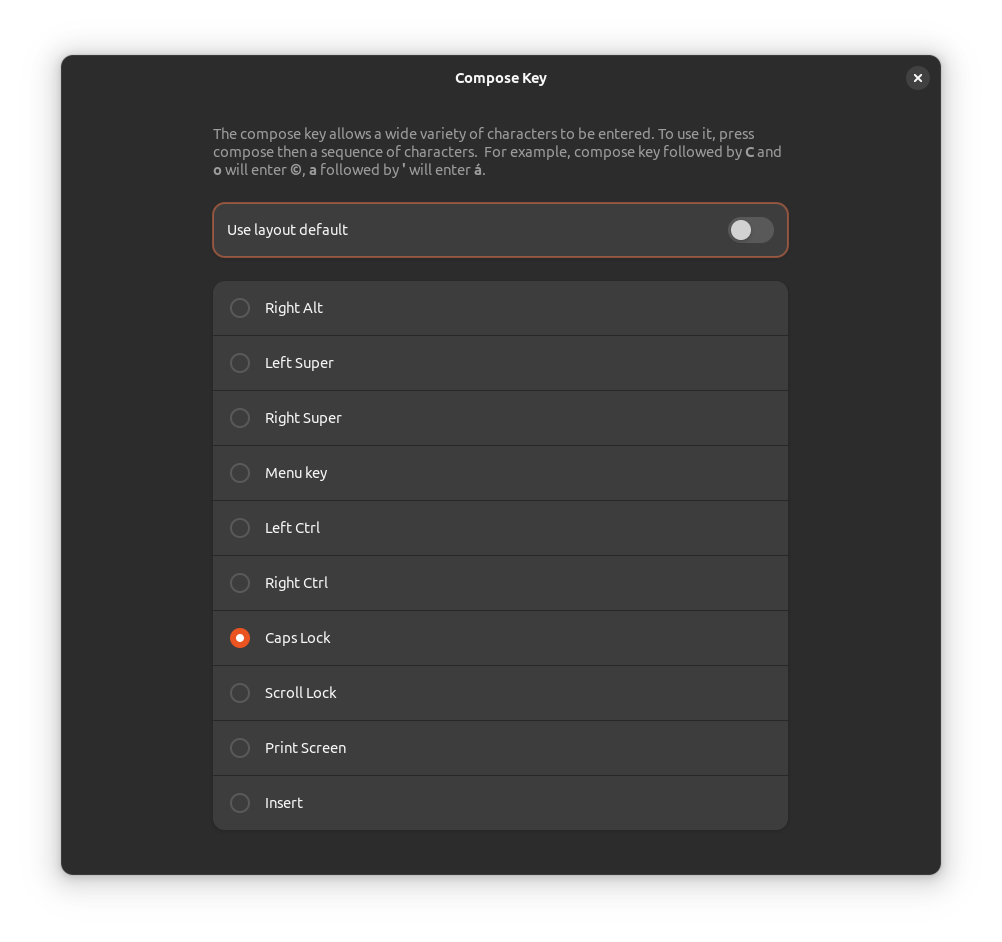
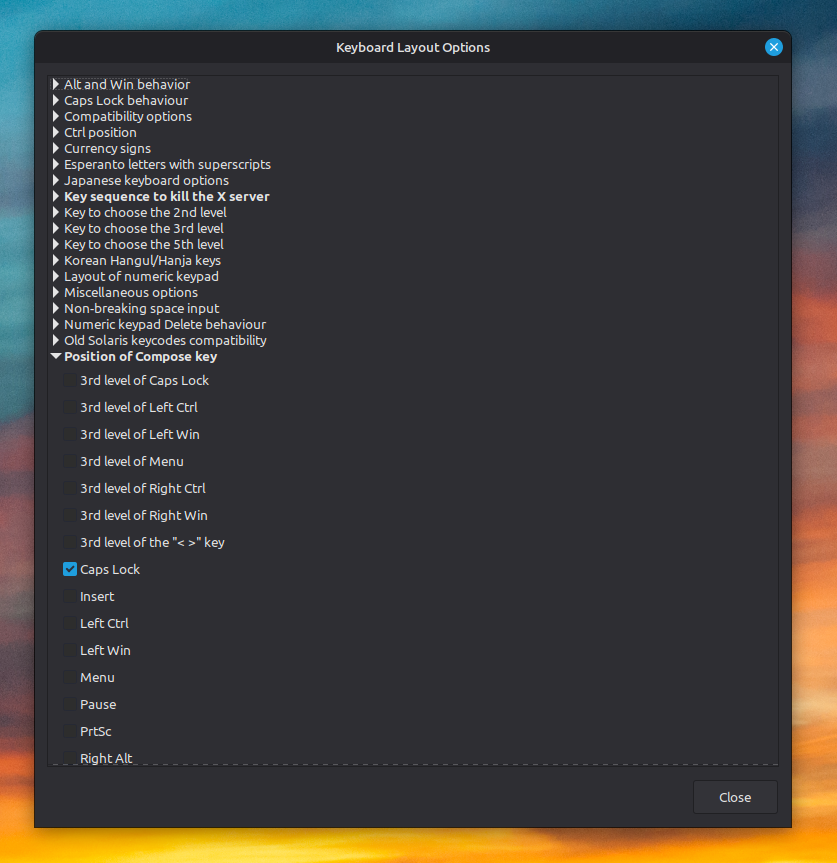
So in the examples above, I normally press Caps Lock, followed by the sequence.
List of Compose sequences
There are a few places I’ve been able to find a list of sequences, the Ubuntu documentation and the Dartmouth University site.
Unicode code points
Somewhat related to Compose keys, another user friendly shortcut is CtrlShiftU - a way of typing out Unicode characters from their numeric code points. The code point for sparkles is U+2728. Type it out using CtrlShiftU, then 2728 ✨.