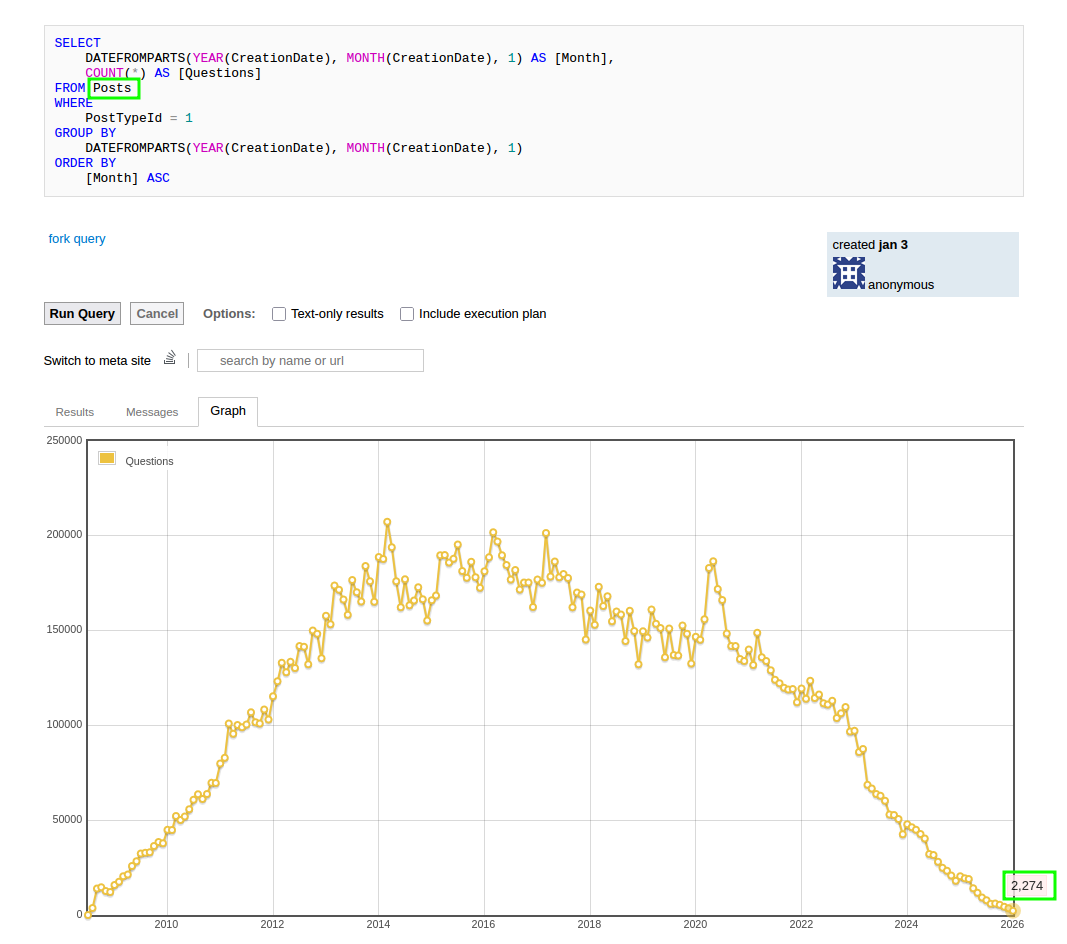
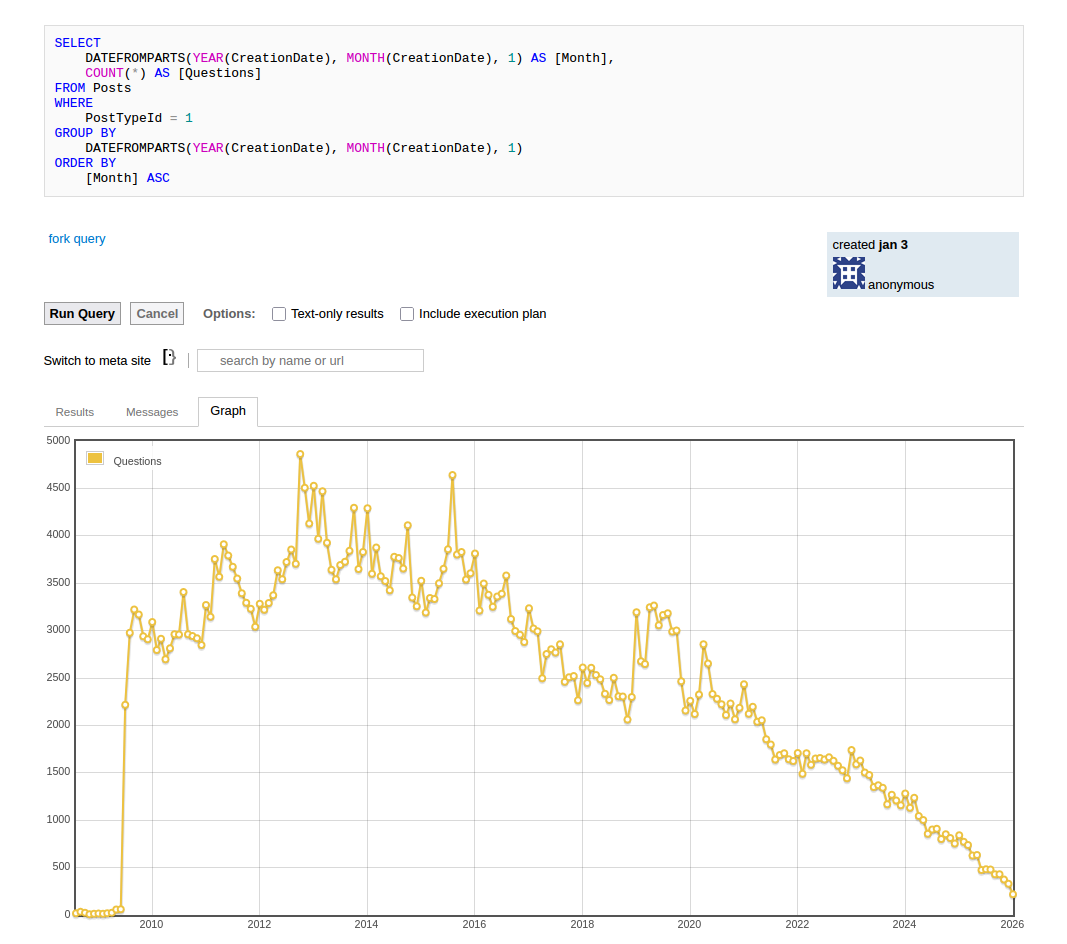
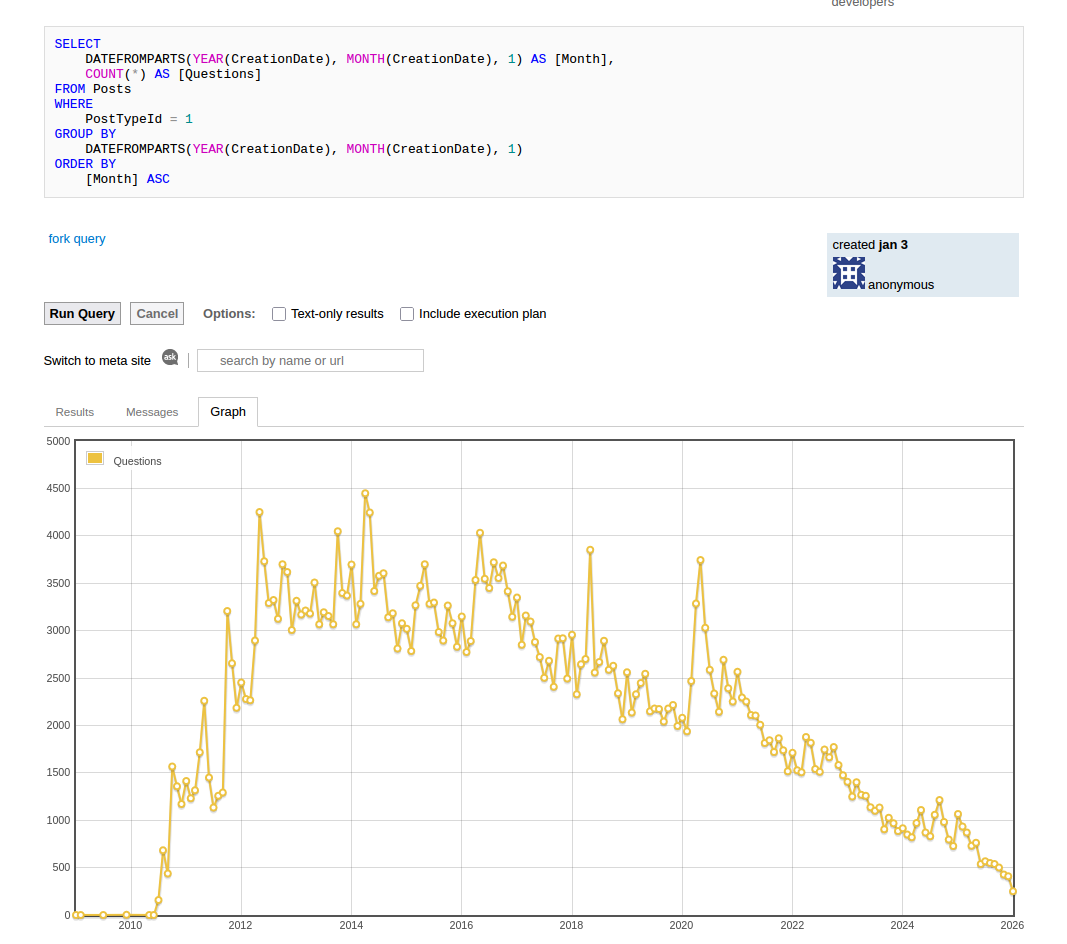
I have been seeing a number of articles and discussions regarding the decline of Stack Overflow posting activity over the past year. My immediate first thought was around the value that the question-answer dataset holds, and what would happen if it were to be shut down, or its vast repository of questions and answers rendered inaccessible; would it be prudent to start taking backups of the data, not just for archival purposes but for continued access to its highly valuable knowledgebase?
It isn’t possible to predict what the actual outcome will be. Although posting activity is down, that isn’t the full story, and I haven’t any clue whether visitor traffic is down as well. However, given that it’s owned by a for-profit company, and metrics tend to be a key factor in decision making for rent-seeking entities, it isn’t out of the question that they could simply decide to shut it down if they are unable to extract enough value.
The questions I wanted to answer
There are two questions that I wanted to answer, even if they are crude approximations.
- Can I get access to a data dump if I need it in the future
- Can I set up a workable search over the data dump
It’s a sort-of disaster recovery planning exercise combined with a proof of concept.
What are the data dump options?
There’s no guarantee, in the event of a shutdown, that the knowledge will be preserved elsewhere on the internet or released for archival purposes. Stack Exchange Inc., the company behind the network of Q&A sites, has not been very reassuring regarding the availability of data dumps.
They used to post data dumps to archive.org, but in 2023 briefly cancelled the data dump, reinstated it after backlash, then cancelled and moved the data dumps behind user authentication in 2024, while also discouraging archive.org reuploads.
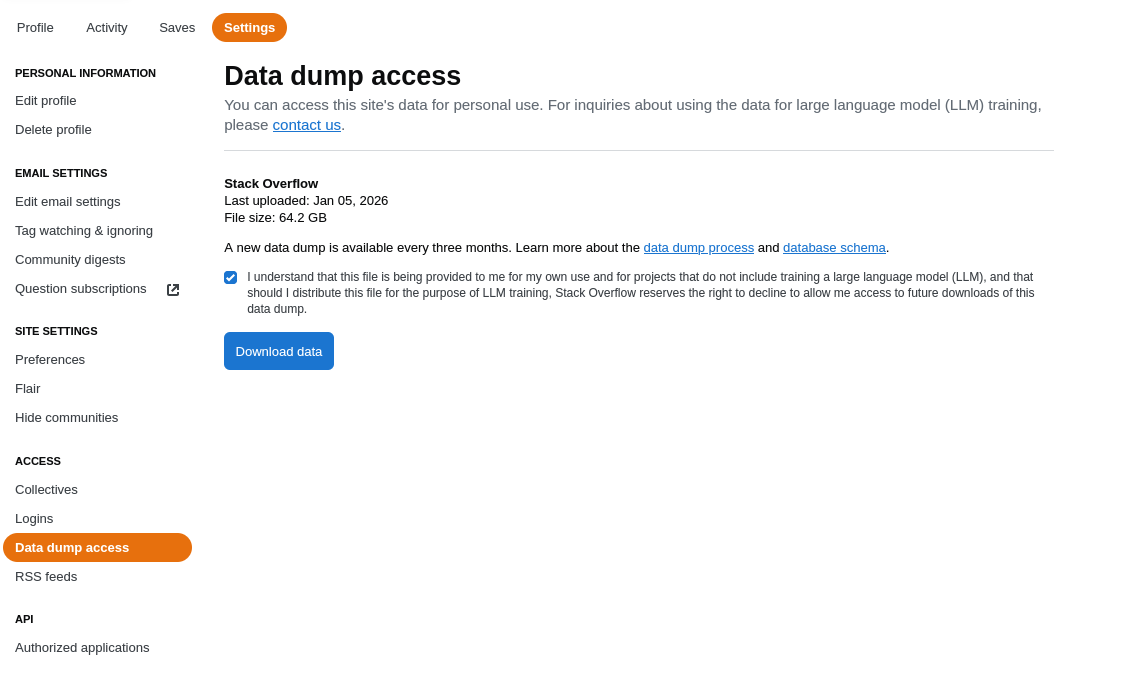
They have also briefly experimented with adding watermarks to the data dumps in early 2025, which is a worrying sign of things to come. Although, it’s somewhat understandable why they did this, given the rampant commercial exploitations they’re experiencing.
Community members with much greater foresight have already taken steps to provide unofficial backups of the data dumps with better accessibility options. There are unofficial archive.org uploads, which endeavour to take into account the bogus data watermarking as well. There are also unofficial torrents of varying cadence, being tracked on Academic Torrents.
The best course of action is to torrent: seeding the unofficial torrents which not only helps with availability, but also decentralizes the data, making it less likely to be lost. It might still be worth taking a one-off data dump directly from Stack Overflow while it’s still available, and squirrelling it away somewhere for future use.
LLMs are not a strategy
To the uninformed, the prevalence of those lossy probabilistic word calculators (aka large language models) for instant gratification responses may give the impression that the preservation of the original data dumps is no longer necessary. I still regularly have to refer to Stack Overflow posts for specific technical issues and investigations, which the LLMs reliably fumble with their insistent digital hamfistedness.
Of course, the large, leeching, monolithic entitites behind these LLMs will have their own pristine archives of the various data dumps, complete with meticulous tooling to extract and train on the community’s collective knowledge. Unfortunately, like many others of their ilk, they are content with training and profiting off the community’s knowledge without reciprocation.
From a preservation standpoint, this isn’t ideal, as the knowledge sources are more important than the models that are trained on them and other derivatives. Without the source material, the answers will remain unverifiable and untrustworthy.
Working with the Stack Overflow data dump
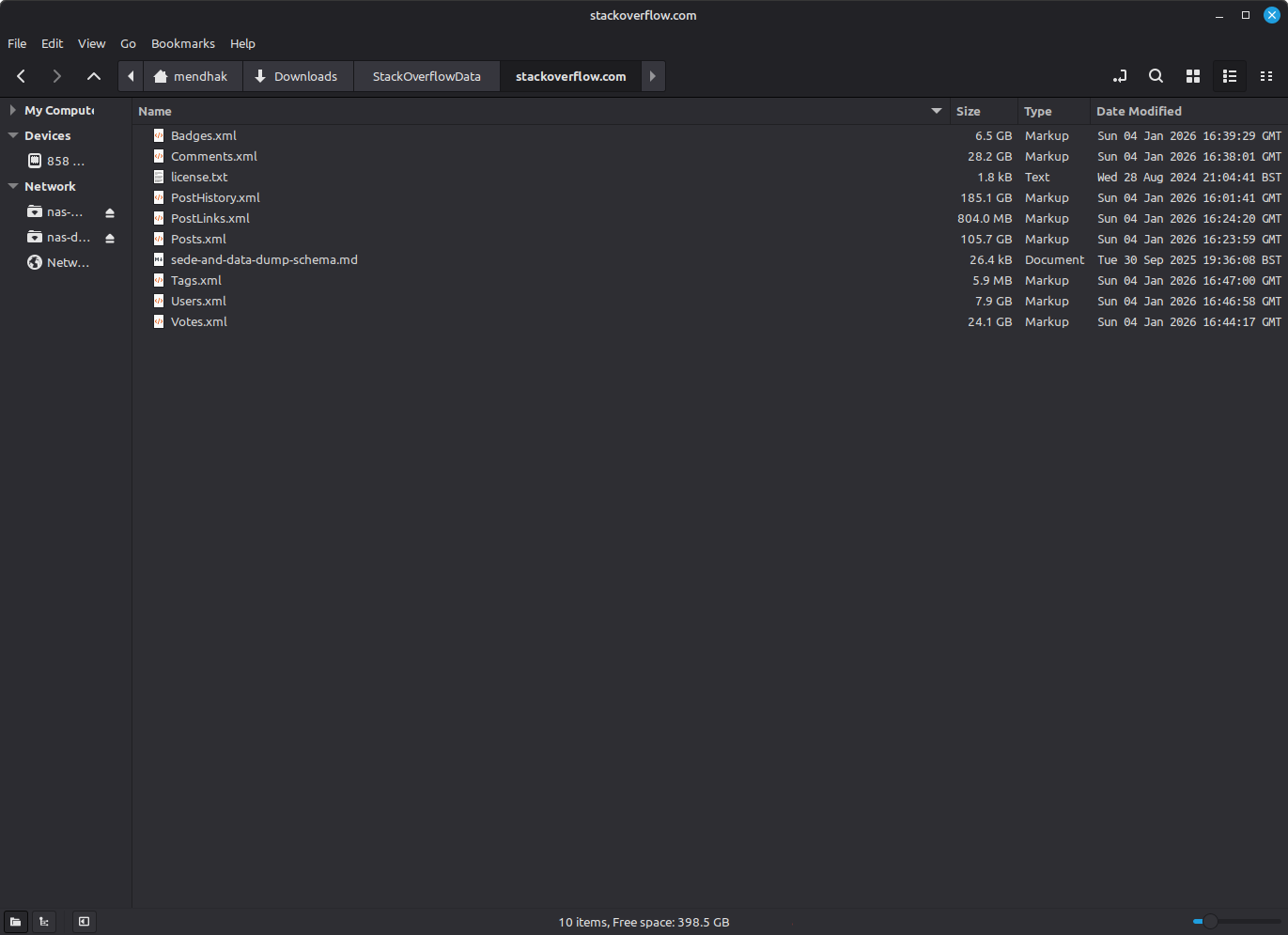
Given the years and volumes of accumulated questions and answers, I was a little surprised to find that the entire Stack Overflow data dump was just ~70 GB compressed. Each table is stored in the archive as an XML file, each element representing a row in the table. Each Stack Exchange network site has its own data dump, but follows the same schema which means that the learnings from one site can be applied to the others. I feel it worth praising the simplicity of the design of these sites and their reusability.
The most important tables to me are the Posts table (105 GB uncompressed), which contains both questions and answers, and the Comments table (28 GB uncompressed) which will have little bits of additional context.
The schema is documented on this post, and there is surprisingly little official documentation available on how to work with it. We know that it’s an export of a Microsoft SQL Server database, so restoring it should be a matter of using its XML loading capabilities.
For other databases, the community once again steps in with various scripts to convert the data dump into other formats. I wanted to work with Postgres, so I used sodata.
Importing into Postgres using pgimport
I actually ended up setting up a Github repo complete with Dockerfile, docker-compose, and helper scripts to make it easier to reproduce the steps.
I started by building sodata into a Docker image; it clones from the original Github for convenience.
After building it,
docker build -t sodata-pgimport .I then set up Postgres in Docker, mounting the data dump folder so that pgimport can access the XML files.
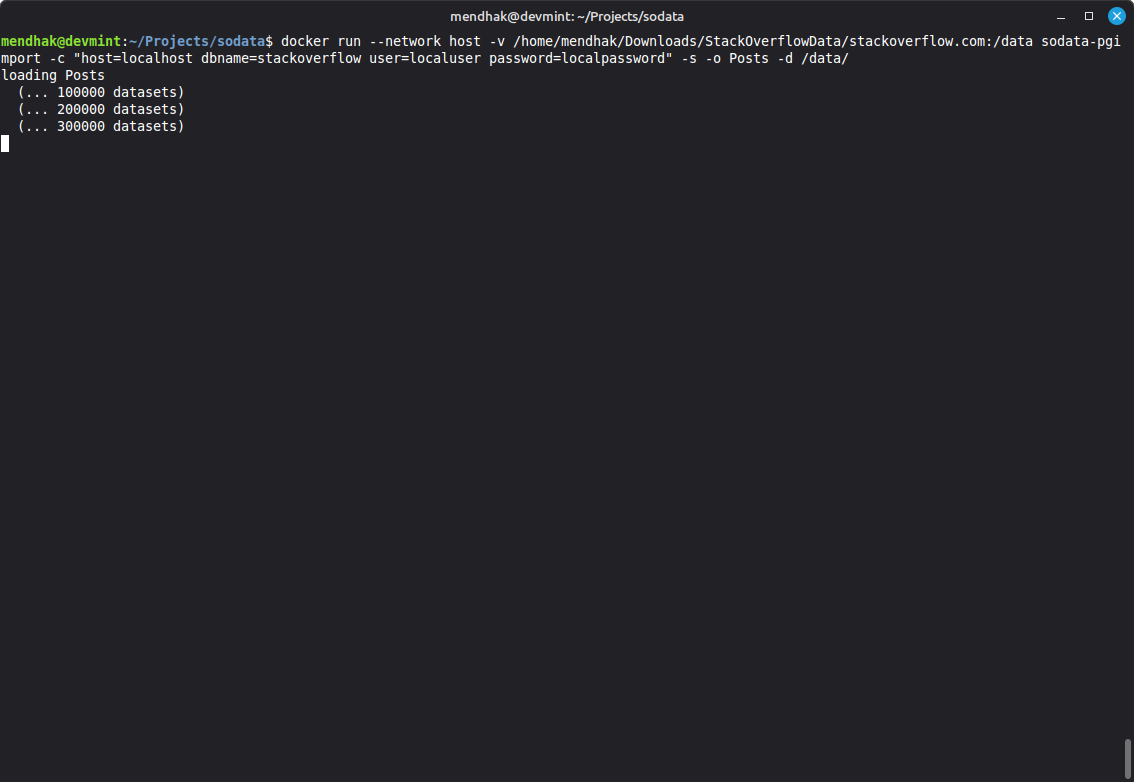
docker run --name pgstackoverflow -e POSTGRES_PASSWORD=localpassword -e POSTGRES_USER=localuser -e POSTGRES_DB=stackoverflow -p 5432:5432 -v pgstackoverflow_data:/var/lib/postgresql -v /home/mendhak/Downloads/StackOverflowData/stackoverflow.com:/data postgres:18 I then ran the pgimport tool from its built image, connecting to the Postgres instance.
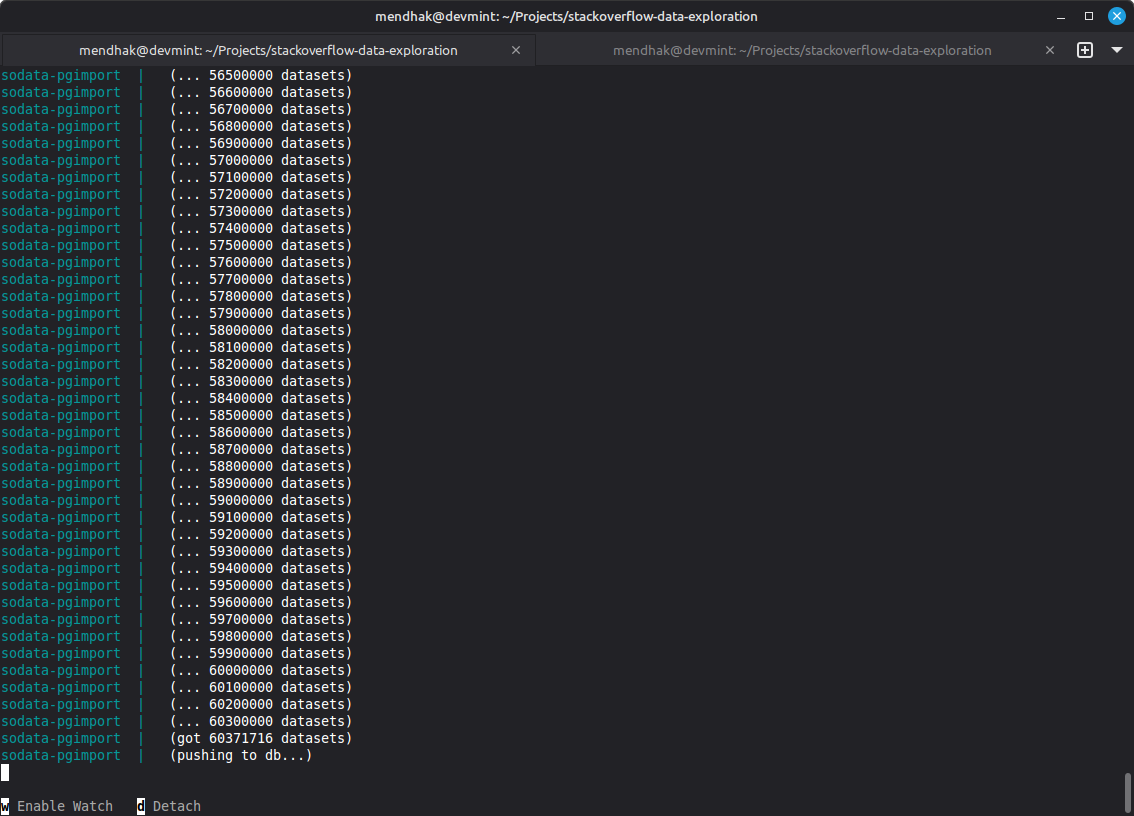
docker run --network host -v /home/mendhak/Downloads/StackOverflowData/stackoverflow.com:/data sodata-pgimport -c "host=localhost dbname=stackoverflow user=localuser password=localpassword" -o Posts -IThe --network host makes use of some clever Linux networking, so that the pgimport container could connect to the Postgres instance. The /data folder is mounted in both containers, and maps to the location where the Stack Overflow data dump XML files are stored. The -o Posts indicates that I only want to import the Posts.xml file, and the -I indicates that I want to create indexes after the import. The way the tool works is that it first converts the XML into a CSV file, and then uses Postgres’ COPY command to bulk load the data.
Exploring the data
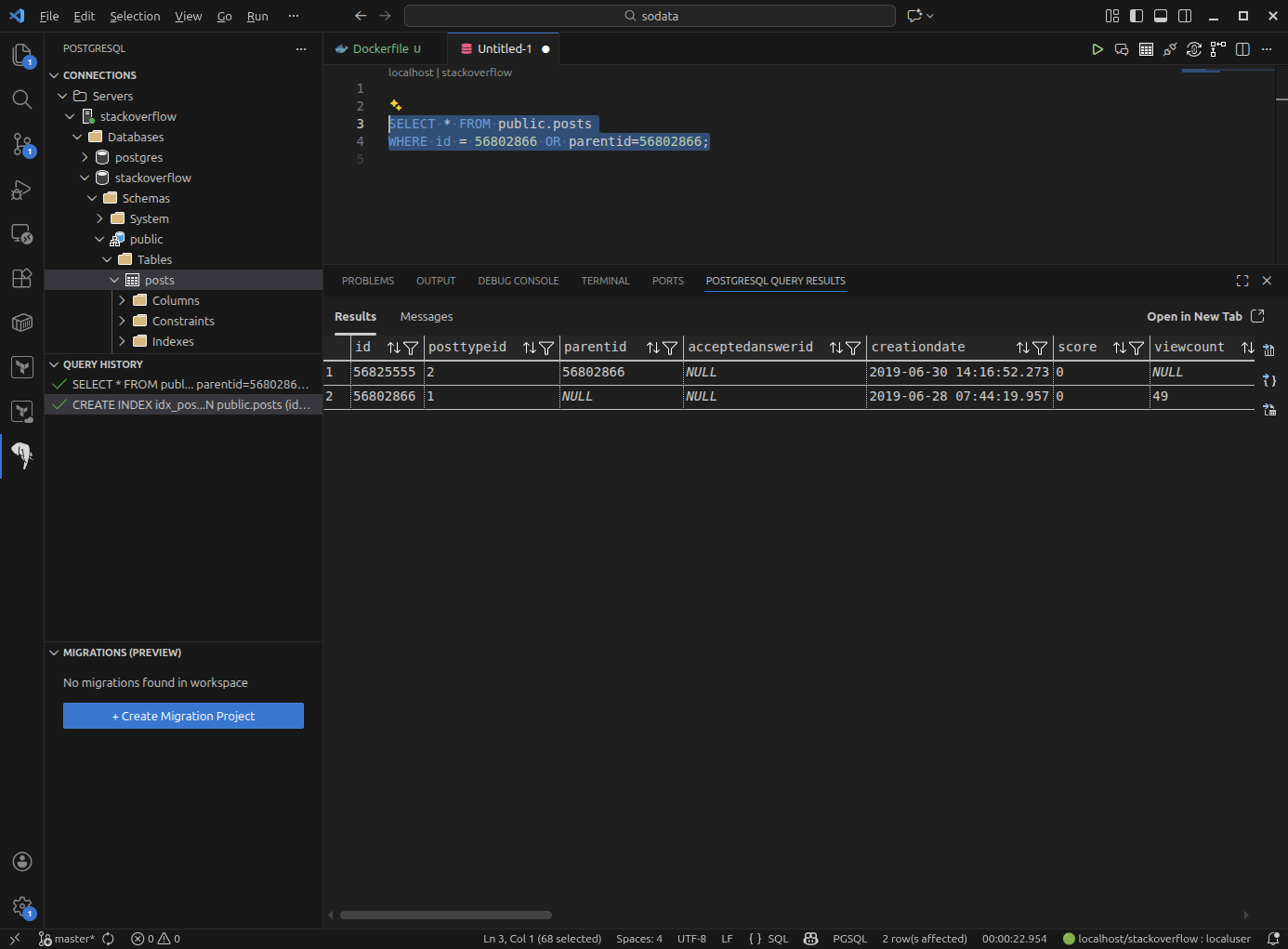
Once the import was complete, I connected to the Postgres instance and created an index on the id column of the posts table, to speed up lookups.
CREATE INDEX idx_post_id ON public.posts (id);The posts table contains both questions and answers. The PostTypeID column indicates whether a row is a question (1) or an answer (2). The ParentID column links answers to their respective questions.
Other useful queries included getting all questions with at least one answer (and concatenating them, why not):
SELECT
    parent_posts.id,
    parent_posts.title,
    COUNT(child_posts.id) AS num_answers,
    parent_posts.body AS parent_body,
    STRING_AGG(child_posts.body, '\n\n' ORDER BY child_posts.id) AS all_answers
FROM public.posts AS parent_posts
INNER JOIN public.posts AS child_posts
    ON child_posts.parentid = parent_posts.id
GROUP BY parent_posts.id, parent_posts.title, parent_posts.body
ORDER BY parent_posts.id DESC
LIMIT 50;
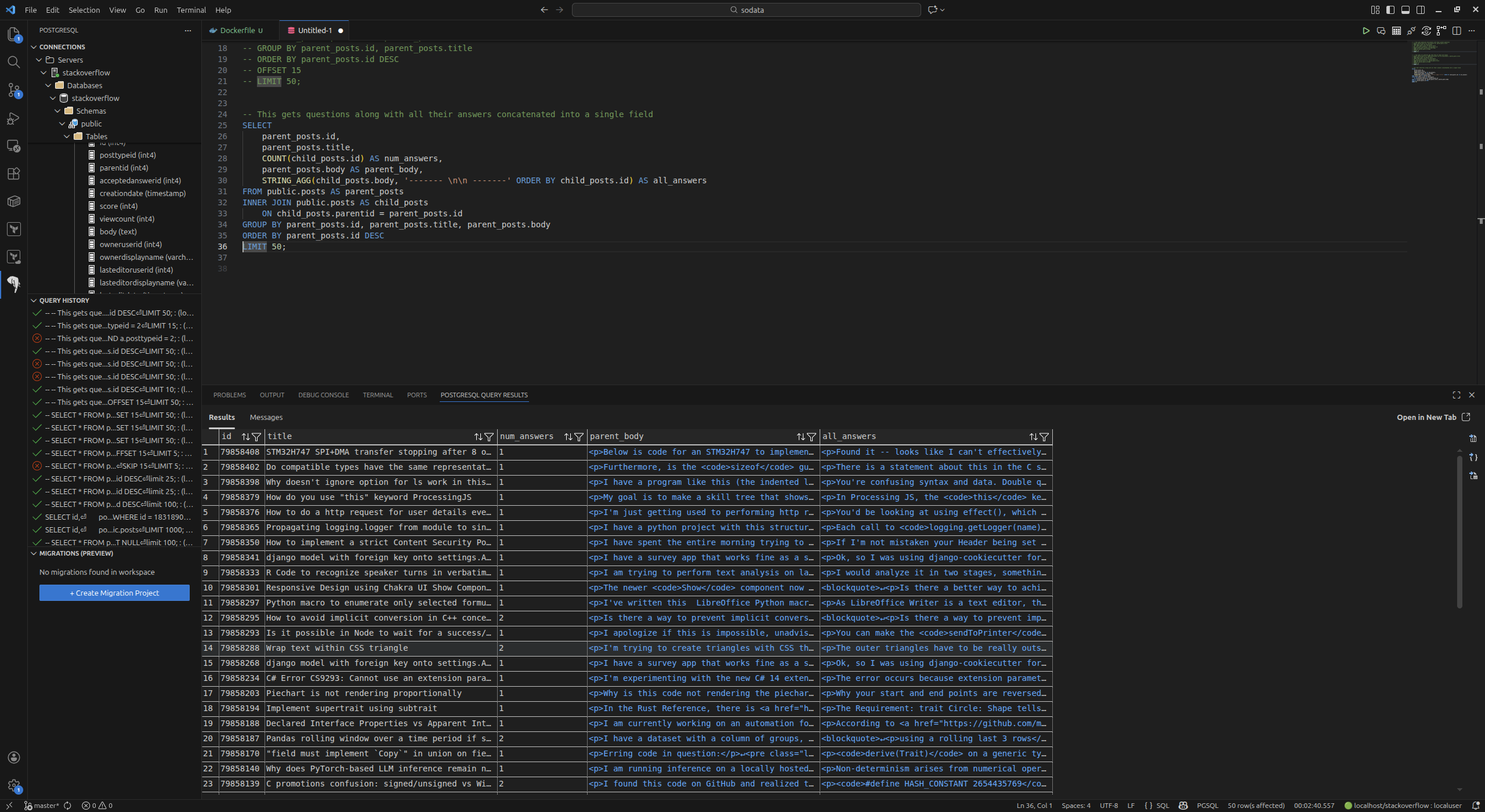
So this was a good start on the exploration, and I think it was enough to prove that the data could be restored to a database and queried.
Searching the data
The next step was to see how I could do searches over this. Stack Overflow’s own search makes use of ElasticSearch, but it wasn’t the normal way I encountered posts; I usually found them via search engines, so the closest approximation would be to implement a vector search over the posts to get that more natural language experience.
For this I would need the pgvector extension for Postgres, and an embedding model to generate embeddings for the posts.
Switching out the Postgres Docker image to the pgvector one was easy enough:
docker run --name pgstackoverflow -e POSTGRES_PASSWORD=localpassword -e POSTGRES_USER=localuser -e POSTGRES_DB=stackoverflow -p 5432:5432 -v pgstackoverflow_data:/var/lib/postgresql -v /home/mendhak/Downloads/StackOverflowData/stackoverflow.com:/data  pgvector/pgvector:0.8.1-pg18-trixie
# Remember to enable the extension
docker run --rm --network host -it postgres:18 psql -h localhost -U localuser -d stackoverflow -c "CREATE EXTENSION vector;"
I created a new table to hold the question-answer bodies along with their embeddings.
CREATE TABLE search_qa (
    id INT PRIMARY KEY,
    qa_body TEXT,
    embedding VECTOR(1024)
);
Because this was just proving a point, I didn’t want to create embeddings for all 60 million+ posts. A representative sample of recent questions and answers would do just fine. To that end I created this Python script which uses vllm, to grab the most recent 50 questions with answers, combine them into a single text string, and generate an embedding using the Qwen3-Embedding-0.6B model. With the embedding model I wanted to ensure that it could be run locally, without relying on an external service.
...
model = LLM(
    model="Qwen/Qwen3-Embedding-0.6B",
    max_model_len=16384,
    gpu_memory_utilization=0.85,
    enforce_eager=True
)
...
for row in rows:
    ...

    combined_text = f"Title: {title}\n\nBody: {parent_body}\n\nAnswers:\n{all_answers}"

    outputs = model.embed([combined_text])
    embedding = outputs[0].outputs.embedding
    print(f"Post ID {post_id}: Embedding shape={len(embedding)}, first 10 values={embedding[:10]}")

    insert_sql = """
    INSERT INTO search_qa (id, qa_body, embedding)
    VALUES (%s, %s, %s);
    """
    cur.execute(insert_sql, (post_id, combined_text, embedding))
    conn.commit()
The initial search step was a bit slow, but after that it was really fast to generate and insert the embeddings.
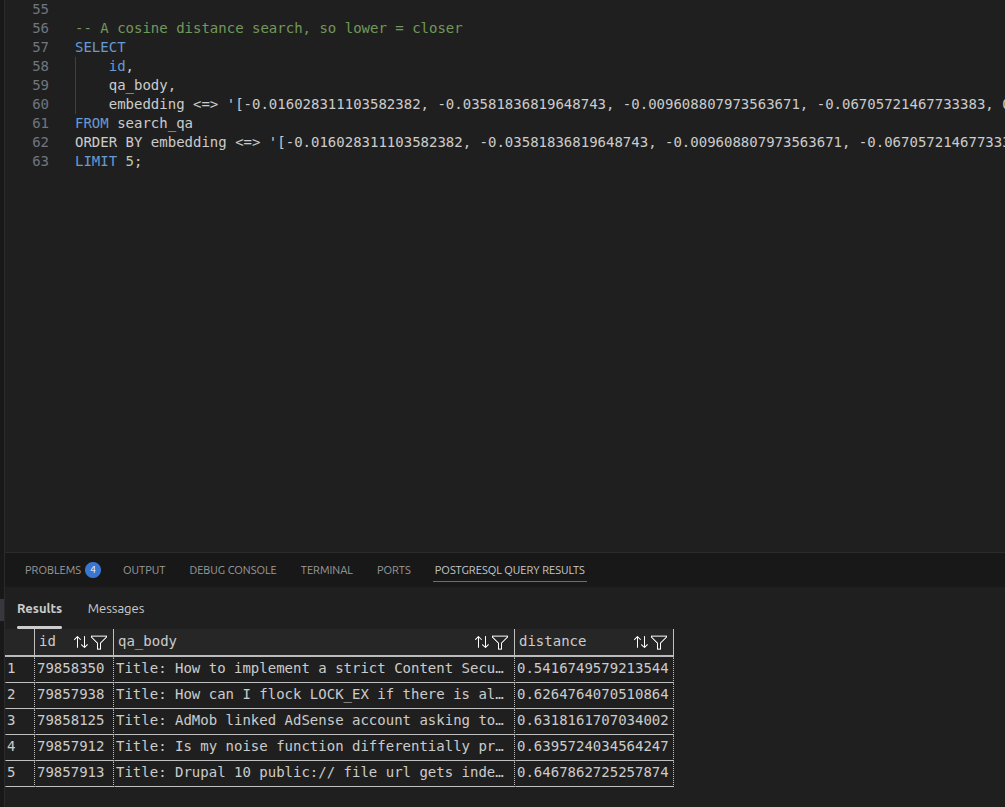
I then did a quick test search, I generated the embedding for the phrase “Content Security Policy”, and did a vector similarity search over the search_qa table.
SELECT
    id,
    qa_body,
    embedding <=> '[-0.016028311103582382, -0.03581836819648743, -0.009608807973563671, ...' AS distance
FROM search_qa
ORDER BY embedding <=> '[-0.016028311103582382, -0.03581836819648743, -0.009608807973563671, ...' ASC
LIMIT 5;
And it worked, I got back the most relevant posts with a cosine distance score.
I stopped here, but I didn’t think it would involve too much extra effort to get this working as a RAG system, with local LLM tools such as Ollama, OpenWebUI, or LM Studio.
Other notes
I’m satisfied with this as a start, it is a reasonable set of steps to me for the two main topics I wanted to address: getting a backup of Stack Overflow (and other Stack Exchange sites), and setting up a workable search over the data dump.
I suspect there will be enough community interest in preserving the data dumps, so it’ll be quite unlikely that I have to resort to a local search solution, but every little bit of preparedness can help. However, more importantly, seeding the torrent will help with its availability, and having a local copy means that I can experiment with it without worrying about access restrictions.
While we’re on the topic of data preservation and looking at Academic Torrents, it’s probably worth grabbing Wikipedia’s datasets too.
It hasn’t been great to see the company’s attitude towards data availability degrade over time, but I greatly appreciate the tireless and thankless community efforts to preserve access to the data.